


How to properly store and organise your back-to-school photos
The start of the school year often marks a new beginning. Memories quickly accumulate on our phones and cameras. Especially with the first days of school, family reunions or the last photos of summer.
But without sorting or a storage method, these important images may get lost or remain forgotten in a corner of your phone or camera. However, all it takes is a few good habits to store, organise and easily find them.
Whether you're a parent, student or photography enthusiast, there are now simple solutions for managing your photos, whether digital or printed. Memory cards, online storage, free software and useful accessories. Organising your images has never been easier.
Here are some practical tips for preserving your back-to-school memories, organising them without stress, and perhaps even sharing or giving them away.
Sorting your back-to-school photos
The start of the school year often brings dozens, even hundreds, of new photos. School outings, reunions with colleagues, little moments of everyday life... memories accumulate quickly. Before thinking about storage or sharing, it's essential to go through a step that is sometimes overlooked: sorting.
Why is it important to sort through your photos quickly after the start of the school year?
The longer you wait, the more photos pile up. The risk is ending up with duplicate files, blurry shots, or even too many images to really enjoy them.
Sorting through them in the first few weeks of the school year helps keep your memory fresh. You'll remember the context, the people present and the memorable moments better. It's also a good way to avoid overloading your phone, SD card or computer.
Sorting quickly will save you time later. It will also allow you to get more out of your photos, whether you want to print them, share them or keep them for the long term.
Simple methods for sorting effectively: by event, by date, by face
You don't need to be an organisational expert to sort your photos effectively. All you need is a clear, easy-to-follow method.
Sorting images by event is one of the simplest approaches. You can create a folder for each highlight of the new school year: ‘First day of school’, ‘Family weekend’, ‘Leo's birthday’.
Sorting by date also works well, especially if you use software or a smartphone that automatically sorts your files. Some tools even allow you to identify faces, which can make it easier to create personalised albums.
The idea is not to sort everything in a rigid manner, but to organise things minimally so that you can find them more easily later.
Best practices for your photos: delete duplicates, choose the best shots, avoid keeping everything
When sorting through your photos, it's often tempting (and normal) to keep everything. However, keeping every shot can make your gallery harder to navigate and complicate its organisation.
Start by deleting duplicates or failed shots: blurry, poorly framed, or too dark images. Then choose the best shots, the ones that really tell a story or trigger an emotion.
There's no need to keep five versions of the same photo, especially since we're so quick to snap pictures these days! Two or three are enough, as long as they're good ones. By limiting the number of files, you make it easier to store, print or share them, while highlighting the essentials.
Storing your photos properly: technical solutions you need to know about
Once you've sorted your photos, you still need to know where and how to store them. Storage isn't just a question of space. It's also about reliability, accessibility and longevity. Each medium has its advantages, depending on your habits and needs. Whether you use a camera, smartphone or computer, there's always a solution that's right for you.
Micro SD card, USB stick, hard drive: choosing the right option for your needs
For those who take photos with a digital camera or like to transfer their photos easily, the micro SD card remains the solution of choice. It offers mobility, compatibility and speed.
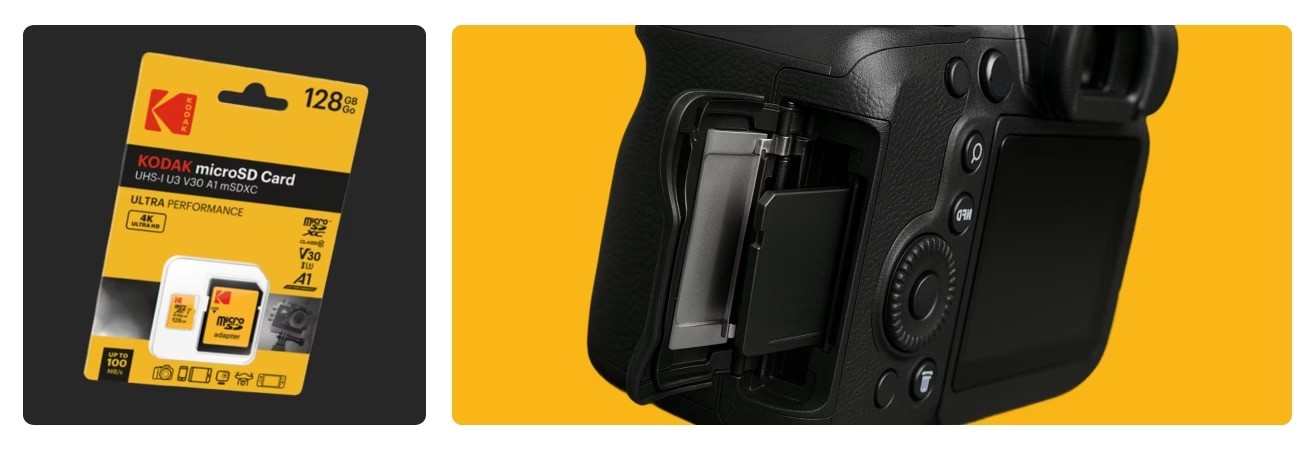
For example, a 128 GB Kodak Ultra Performance micro SD card can store several thousand high-quality photos. It's an excellent choice for those returning from holiday or wanting to document an entire school year.
For more moderate use, the Kodak 64 GB micro SD card or the Kodak Premium Class 10 32 GB micro SDHC card are ideal. They are reliable, fast and compact enough to easily transfer files from one device to another, or even to a smartphone, depending on compatibility.
The Kodak K103 Series Gen 1 64GB USB 3.0 flash drive is also a simple and effective solution. It allows you to make backup copies, share files with friends and family, or transfer photos from one computer to another.
To facilitate transfers, particularly between an Android smartphone and a computer, the Kodak USB-C to USB-C cable is a handy accessory to have on hand. It ensures a stable and fast connection, preventing transfer errors or interruptions.
Each of these media types meets a specific need: transporting photos, keeping them safe, or sharing them easily.
Cloud or local? Advantages and limitations of both approaches
Beyond physical storage, there are now many digital solutions for hosting photos online. Services such as Google Photos, iCloud, Dropbox, and OneDrive offer easy access to your images from any device.
These platforms are convenient for those who want to quickly find a photo or share an album without having to send large files. They also allow you to automate certain tasks, such as synchronisation or sorting by date.
But online storage has its limitations. It depends on an internet connection, a subscription above a certain quota, and sometimes raises privacy issues.
That's why local storage remains essential. By keeping a copy on a memory card, USB stick or hard drive, you remain in control of your data. You can even go further by combining the two approaches. A local backup for security, and an online copy for accessibility.
This double protection is the best guarantee that you won't lose anything, even in the event of a breakdown or loss of equipment. It also ensures that you can enjoy your photos in all situations, without stress or constraints. Don't be afraid of losing your precious photos anymore!
How to organise your photos?
Keeping your photos is good. Being able to find them easily in a few months or years is even better. Without a minimum of organisation, even the most beautiful memories can be lost. For example, with poorly named folders or overloaded galleries. Fortunately, a few simple tools and good habits are all you need to stay on track.
Free software and simple methods for organising your photos effectively
Today, there are many free software programmes that allow you to manage your photos without complicating your life. Google Photos or Apple Photos automatically sort images by date, location or face. They also offer search and shared album creation features.
For those who prefer to manage their library manually, tools such as Adobe Bridge (free) or XnView MP are very useful. They allow you to rename, sort, classify, and even add tags or ratings.
Creating clear folders remains a reliable and sustainable method. For example, you can structure your gallery with folders such as Back to School 2025, Year 1 Class, September Trip or School Party. It's simple, effective, and makes searching easier later on.
Add tags, captions or ratings for better classification
As the volume of photos increases, it becomes useful to add additional information. Some software allows you to tag images with keywords (e.g., ‘school,’ ‘family,’ ‘portrait’) or add a short caption.
You can also assign a rating or colour to highlight your favourites. These kinds of details make navigation more intuitive, especially when you want to create an album or print a selection later.
These steps only take a few minutes after each import, but they make all the difference in the long run.
Regular backups, monthly or quarterly reminders
Even with a good organisation system, photos remain vulnerable. A hard drive crash, a damaged card, a lost phone... It's better to be safe than sorry.
Getting into the habit of backing up your images regularly is essential. Once a month or once every three months is sufficient. You can set up an automatic reminder in your calendar or use software that alerts you.
And for those who like to have a physical copy, USB sticks and SD cards are your best friends.
Print or share your photos
Storing your images is essential. But giving them a second life is what makes them truly precious. Back-to-school photos deserve better than to be forgotten on a hard drive or at the bottom of a digital gallery. Whether you want to print, give or share them, there are now many easy ways to extend the life of your photos.
Print your photos or create an album
Printing your photos is no longer reserved for special occasions. Thanks to online services such as AgfaPhoto Print, it's easy to turn your photos into tangible objects.
You can easily send your digital photos and get high-quality prints without leaving your home! But that's not all: Agfaphoto print also lets you create photo books, posters, or framed prints to give as gifts. And of course, to stay on theme, back-to-school albums or illustrated notebooks of the first weeks of school. There's no shortage of ideas, with something for every taste and budget.
If you're too impatient to wait for your photos to be printed and make a back-to-school album, you can also opt for one of our mini printers. For example, the Mini 2 Retro P210R allows you to print your photos in excellent quality directly from your smartphone or tablet. You're sure to love its retro design, and it can become your ally in creating successful photo albums.
As you can see, these different possibilities have real power. They give the image a tangible existence. A photo that you can touch, flip through or hang up takes on a whole new dimension.
Other ways to share your photos
There are several ways to share your photos with your loved ones. Sending a cloud link is quick and easy. Simply create a Google Drive, Dropbox or OneDrive folder, then copy the link. Some tools even allow you to generate a QR code that can be scanned to access the album directly.
But sometimes, a more tangible solution is appreciated. Transferring images to a USB stick allows you to offer a small, symbolic object that is easy to carry and store. This is particularly useful for family members who are less comfortable with digital tools.
Turn your back-to-school photos into real memories to cherish
Back-to-school photos tell a story that goes far beyond simply returning to school. They capture smiles, first steps, and moments of togetherness that we love to keep close to us. To prevent them from getting lost in the mass of digital files, all it takes is a few simple steps.
Sorting, storing, organising, sharing... Every step counts when it comes to preserving these moments. With accessible tools, such as a well-chosen SD card or an easy-to-carry USB stick, it becomes easy to build a solid visual memory.
By taking the time to create an album or print a few photos, we restore value to the image. We also prolong the emotion it evokes. And whether you're a parent, student or photography enthusiast, it's a great way to start the year.